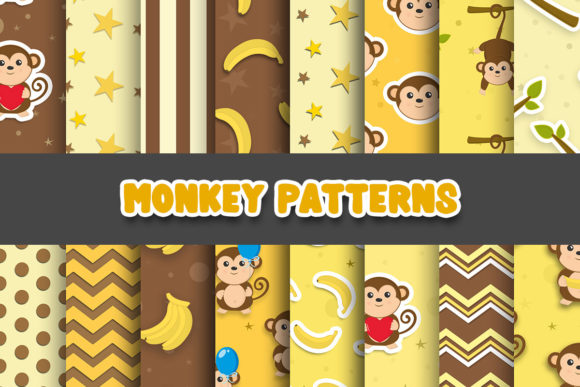
Smart Ways to Use Monkey Digital Papers and Patterns Without the Frustration
Whether you are designing wedding invitations, sprucing up a bullet journal, creating product packaging, or building a brand kit, digital papers and patterns can do a lot of heavy lifting. Monkey Digital Papers and Patterns have gained a loyal following because they offer a wide range of styles — from watercolor florals and geometric repeats to vintage grunge textures. But buying the files is only step one. If you have ever opened a beautiful design only to end up with blurry prints, odd tiled seams, or colors that look completely different on screen than in your hands, you probably ran into a few common snags that most people never talk about.
Let’s walk through the hidden mistakes that even experienced creators make when choosing, downloading, and applying these resources — and, more importantly, how you can get every project looking exactly the way you imagined.
Assuming All Files Are Immediately Print-Ready
One of the first missteps happens right after purchase. Many people download a set of Monkey Digital Papers and Patterns and hit print without checking a handful of critical details. The result? Fuzzy backgrounds on thank-you cards, banding in gradient patterns, or a darling baby shower sign that looks pixelated when enlarged.
Most digital paper collections are created in RGB color mode because screens display colors that way. Printers, however, use CMYK. If you send an RGB file straight to a professional print service, the automatic conversion can wash out vibrant pinks and teals or shift neutrals toward muddy browns. Another hidden culprit is resolution. An image that looks crisp on a phone might be only 72 DPI, which is far below the 300 DPI standard for high-quality physical prints.
What to do instead: Before you even add a design to your cart, look at the technical details. Reputable sources for Monkey Digital Papers and Patterns usually list the DPI and file dimensions. If they don’t, ask or download a sample. For anything destined for print, open the file in an editor like Photoshop or Affinity and check the image size. If you only have an RGB version, you can soft-proof and convert the color profile, but be prepared for subtle shifts. For the crispest outcome, opt for designers who provide CMYK versions or be comfortable doing the conversion yourself with a quality ICC profile.
Skipping the License Details Until It’s Too Late
A beautiful pattern catches your eye and immediately you think, “This would be perfect on the tote bags I sell in my online shop.” Months later, you discover the hard way that the license that came with your Monkey Digital Papers and Patterns only covers personal use. That pit-in-your-stomach feeling is avoidable, but only if you treat the license as the very first thing you read — not the last.
Creators offer different terms: some allow small commercial use up to a certain number of units, some require an extended license for physical products, and some flatly prohibit digital resale or any use that competes with the original file. Misunderstanding these tiers can cost you money, time, and even force you to pull products from your shop.
Before you download, look for clear labeling like “personal use only,” “commercial use included,” or “extended license available.” If the shop page is vague, send a quick message. A simple note like, “Can I use this pattern on notebook covers I plan to sell at a local market?” can save headaches later. When you build this habit, Monkey Digital Papers and Patterns become a reliable tool for both hobby projects and small business products.
Forgetting That Not All Patterns Are Seamless
You have a lovely chevron pattern you want to use as the background for a website hero image or a large-scale tablecloth design. You drop it in, scale it up, and suddenly there are harsh horizontal and vertical lines cutting through the design. That’s the telltale sign of a pattern that hasn’t been properly engineered for seamless tiling.
Even in packs labeled “repeat patterns,” quality can vary. Some Monkey Digital Papers and Patterns are designed only for small accents — like a journal card or a single frame — and fall apart when you stretch them over a wide area. If you don’t test the tiling behavior before committing to a project, you might waste time or material.
A better approach: As soon as you download, open the pattern in your design software and duplicate it side-by-side in a canvas at least twice the size of your intended final output. Zoom to 100% or even 200% and look carefully for visible edges, odd breaks, or misaligned motifs. In Photoshop, you can also use the offset filter to check the edges quickly. If the pattern doesn’t tile well, restrict it to smaller, contained areas like labels or borders, or invest in a truly seamless alternative.
Choosing the Wrong File Format for Your Application
Digital paper downloads often come with multiple file types: JPEG, PNG, PDF, and sometimes vector formats like AI or EPS. A rushed download that grabs only the JPEG folder can leave you stuck when you need a transparent background or want to recolor a motif without creating an ugly white halo.
If you plan to layer a pattern over an existing design, like a colored background for an Instagram story or a logo element, then PNG files with transparency are far more flexible. For printables that keep the original design intact, a high-resolution PDF might be easier to handle. When you are combining elements from different packs for a custom look, having the layered or vector source files can be a game changer. Failing to download the right format often means you either can’t execute your idea or you spend extra hours in cleanup mode.
Before you hit download, quickly visualize your workflow. Will you be using Canva, Adobe Illustrator, Procreate, or simply printing from a home printer? Check which file types the pack includes and make sure at least one matches your tool’s strengths. If you are buying from a marketplace that offers multiple download options, take a moment to grab the ones you might need later — it’s better to have them than to hunt for a re-download link weeks after purchase.
Placing Orders Without Sampling First
Online marketplaces are full of tempting bundles: “500 Digital Papers for a Steal.” But volume alone does not equal value. Without sampling, you can end up with a folder of designs that look astonishing on the preview but reveal rough edges, visible pixelation, or strange crossed-pattern artifacts when you zoom in on a real project.
Even if a shop offers only full packs, many designers include one or two free downloadable sheets. If no free sample exists, look at reviews that include printed or real-use photos — not just digital mockups. Another smart habit is to buy a low-cost mini pack from the same designer before committing to the mega bundle. With Monkey Digital Papers and Patterns, consistency matters a great deal; a sample ensures the quality matches your expectations and your production needs.
Overlooking the Power of Simple Adjustments
Sometimes a pattern feels “off” not because the file is flawed, but because it hasn’t yet been tailored to your specific canvas. A delicate floral repeat might look too busy for a resume unless you reduce the opacity and let it become a subtle watermark. A bold geometric pattern might overwhelm a party banner until you scale it down and change the background hue to a softer tone.
Most design tools, even simple ones like Canva Pro, let you adjust transparency, apply color overlays, or crop patterns into shapes. Instead of discarding a design that isn’t instantly perfect, try these small edits first. You can often transform the same set of Monkey Digital Papers and Patterns to feel modern, whimsical, vintage, or corporate just by tweaking saturation, scaling, and blending modes. The key is to start with high-resolution, well-structured files — then make them yours.
Not Keeping a Curated Library From the Start
Enthusiasm can lead to hoarding: hundreds of digital paper packs stored in a folder with names like “download341_expanded_final.” Six months later, you can’t remember which pink polka dot is the truly seamless one or which floral line art had the commercial license. Without a simple system, you might stop using Monkey Digital Papers and Patterns altogether out of sheer overwhelm.
A lightweight organization habit solves this completely. Create broad category folders: “Florals,” “Geometric,” “Textures,” “Seasonal.” Inside, keep the license text file alongside the images, or rename the main folder to include a reminder: “WatercolorFloral_CommUse_300dpi.” For extra speed, use an app like Eagle or Bridge to tag files with colors and keywords. This upfront effort means you can grab the right pattern in seconds when a creative idea strikes, rather than losing an hour digging through digital clutter.
When you avoid these common traps — skipping technical checks, ignoring licensing, assuming seamlessness, and grabbing the wrong format — you unlock the full potential of your collection. Everything from a last-minute gift tag to a boutique product line can benefit from the same thoughtfully chosen digital designs. The difference between a frustrating experience and a smooth, professional result usually comes down to a few minutes of attention before you ever open your design canvas.