What Nobody Tells You About Flamingo Digital Paper Patterns Before You Download
Flamingo digital paper patterns have surged in popularity among crafters, scrapbook designers, and small business owners looking to add a tropical, playful touch to their projects. You see them everywhere — on planner covers, party invites, fabric mockups, and branded packaging. But the gap between downloading a pretty flamingo pattern and actually using it successfully is wider than most people expect. Let's talk through the reality of working with these designs so you can avoid wasting time, money, and creative energy.
Why Flamingo Digital Paper Patterns Attract So Much Attention
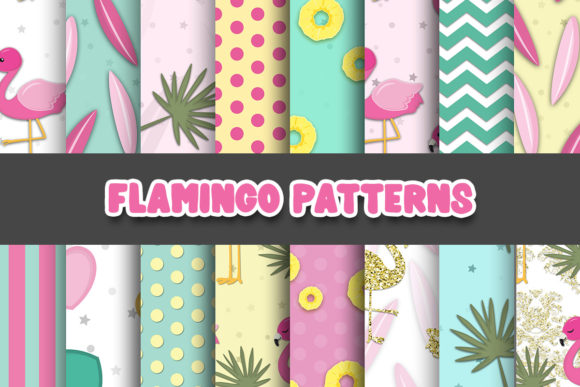
There is something inherently cheerful about flamingos. They evoke sunshine, poolside relaxation, and a certain retro Florida charm that never really goes out of style. Designers have tapped into this by creating seamless flamingo digital paper patterns that repeat beautifully across large surfaces. You can find them in watercolor styles, bold vector graphics, vintage botanical illustrations, and even minimalist line art. For a small business selling tropical-themed products or a content creator building a cohesive brand aesthetic, these patterns offer instant visual appeal.
But the allure often overshadows the practical questions. People download bundles without checking resolution, color profiles, or licensing terms. They assume all flamingo digital paper patterns work the same way across different software. That assumption leads to frustration when prints come out blurry or colors look nothing like the screen preview.
Overlooking Resolution and Print Quality
One of the most common slip-ups is downloading a pattern that looks crisp on screen but falls apart in print. Many digital paper packs are created at 300 DPI, which is ideal for physical products like journals, cards, and fabric. However, not every seller provides files at that resolution. Some patterns are designed primarily for digital use — websites, social media graphics, or digital planners — and max out at 72 or 150 DPI.
If you take a 72 DPI flamingo digital paper pattern and send it to a printer for a notebook cover, the result will be a pixelated mess. The tropical vibe you wanted becomes a blurry suggestion of pink shapes. Before purchasing, check the product description carefully. Look for the DPI specification and the physical dimensions in inches or pixels. A 12x12 inch file at 300 DPI gives you far more flexibility than a file only sized for A4 at 150 DPI.
Better approach: Decide how you plan to use the pattern first. If printing is on your roadmap, filter your search to high-resolution options and message the seller if the details are unclear. Many independent designers on platforms like Etsy or Creative Market are happy to confirm specifications before you buy.
Ignoring Color Mode and Print Consistency
Even with the right resolution, color can ruin everything. Digital displays use RGB color mode, while professional printing relies on CMYK. A flamingo digital paper pattern designed in RGB might feature vibrant hot pinks and neon corals that look stunning on your monitor. Convert that same file to CMYK, and those colors can shift dramatically — sometimes turning muddy or dull.
This mismatch catches beginners off guard. They design an entire product line around a specific shade of flamingo pink, only to receive printed samples that look more like dusty rose or muted salmon. The discrepancy can be jarring enough to make a product unsellable.
What to do instead: If you plan to print, look for patterns that include CMYK versions or at least offer a color profile that translates well. Some designers provide both RGB and CMYK files in the same bundle. If you only have an RGB file, test it with a proof print before committing to a large batch. Adjustments in software like Photoshop or Affinity Designer can help you get closer to the intended color, but starting with the right profile saves hours of trial and error.
Misunderstanding Seamless Versus Non-Seamless Patterns
A pattern described as "flamingo digital paper" does not automatically mean it tiles seamlessly. This is a painful lesson for anyone trying to cover a large surface — a bolt of fabric, a website background, or gift wrap. Non-seamless patterns create visible lines where the edges meet. The repeating flamingos break awkwardly, and the illusion of continuous design shatters.
Seamless patterns, on the other hand, are engineered so that the left edge blends perfectly with the right edge, and the top aligns with the bottom. You can tile them infinitely without obvious seams. When shopping, look for terms like "seamless repeat," "tileable," or "continuous pattern" in the listing title or description. Do not assume seamless functionality just because the preview image looks continuous — designers often show a zoomed-out mockup that hides the seams.
A practical step: Before using a new pattern on a large project, test it yourself. Open the file in your preferred software, duplicate it, and align the copies side by side and stacked vertically. Zoom in and check the borders. If you see hard lines or misaligned elements, you are dealing with a non-seamless design. That pattern might still work for small accents like card inserts or social media posts, but it will fail on anything requiring repetition.
Forgetting About Licensing and Commercial Use Rights
The legal side of flamingo digital paper patterns trips up many entrepreneurs and freelancers. You buy a gorgeous set, use it on products you sell, and then discover the license only covered personal use. Or you purchase a commercial license but exceed the allowed print run or digital distribution limit. These oversights can lead to copyright claims, platform takedowns, or awkward conversations with the original designer.
Licensing terms vary widely. Some shops offer a standard commercial license that lets you sell physical products like printed cards, shirts, or mugs. Others restrict use to digital items only, or cap the number of units you can sell. A few designers require attribution or prohibit use on print-on-demand platforms entirely. Reading the license before clicking "buy" is not optional — it protects both you and the creator.
If the terms confuse you, reach out to the seller. Many are independent artists who genuinely want their work used and will clarify what they allow. Keep records of your purchases and licenses. Having documentation ready can save you if a dispute ever arises.
Expecting Every Pattern to Work Like a Swap-In Background
Downloading a flamingo digital paper pattern and pasting it into your project feels like the easy part. The challenge comes when the pattern does not match your canvas size, needs recoloring to fit your palette, or requires isolation of individual flamingo motifs for layered designs. Many digital papers come as flattened JPEGs, which means you cannot easily separate the flamingos from the background. If you need transparent elements for sticker designs or overlays, you will want PNG files or vector formats instead.
People also overlook file formats entirely. A JPEG works fine for a printed scrapbook page. But if you are designing a logo or a product mockup that requires scalability, a vector-based pattern in AI, EPS, or SVG format gives you far more control. Raster images degrade when enlarged; vectors stay crisp at any size.
Check what you are actually buying. A bundle might include 20 beautiful flamingo patterns, but if they are all JPEGs and you need vectors for a client project, that bundle becomes useless. Some designers include multiple formats, which adds significant value. Prioritize bundles that match your technical requirements from the start.
Skipping the Pattern Scale Assessment
Flamingos come in all pattern sizes — from tiny repeated silhouettes to large, detailed illustrations that dominate the design. The scale of the repeat profoundly affects how the pattern looks on different products. A pattern with large, detailed flamingos might look stunning on a throw pillow but overwhelming and chaotic on a pocket-sized notebook. Conversely, a micro pattern of tiny flamingos can appear busy and indistinguishable when viewed from any distance.
Many product listings include scale references, such as a ruler overlay or a mockup showing the pattern on a common object. Pay attention to these indicators. If no scale reference exists, ask the seller for the tile dimensions. Knowing that a single repeat measures four inches across tells you a lot about how the design will read on your intended surface.
For physical products, order a sample or print a test swatch at actual size. What looks balanced on a screen might feel entirely different in your hands. Testing early prevents a costly misstep where you invest in inventory that does not sell because the pattern scale feels off.
Overlooking File Organization and Workflow Efficiency
Flamingo digital paper patterns often arrive in large zip files with minimal naming conventions. You download a bundle called "Tropical Paradise" and find yourself staring at dozens of files with names like "FP001.jpg" or "pink-pattern-final-v3.png." Without a system, you waste time opening each file to see what it contains. Multiply that across multiple purchases, and your digital asset library becomes a chaotic mess.
Take a few minutes when you download any new set to rename the files descriptively. Include details like the color scheme, scale, file format, and whether the pattern is seamless. "flamingo-pink-seamless-12inch-300dpi-rgb.jpg" tells you almost everything you need at a glance. Organize files into folders by theme, license type, or intended project. This small upfront investment saves countless hours later, especially when you are under deadline pressure.
Underestimating the Value of Testing Before Scaling Up
Whether you are a stationery designer printing 500 notebooks or a blogger creating a single digital download, test your flamingo digital paper pattern in its final context before going wide. Print proofs, check how the pattern interacts with your brand's typography, and view it on multiple devices if the end product is digital. Colors shift between screens, and pattern details that look prominent on a large monitor can disappear on a phone display.
This testing phase is where you catch the subtle issues — a flamingo's eye that prints as a smudge, a border that looks uneven on dark backgrounds, or a color that clashes with your existing palette. Fixing these problems early in the process is infinitely easier than explaining to customers why the product looks different from the listing photos.
Flamingo digital paper patterns can elevate your creative work when you approach them with the right knowledge. Look past the pretty previews and dig into the technical specifications, legal terms, and practical fit for your project. That diligence turns a simple download into a reliable design asset you can use confidently across everything you create.